
As a vehicle owner or fleet operator, encountering a ‘SERVICE’ reminder can be a common yet unsettling experience, signaling the need for maintenance or attention. This article is designed to equip you with the knowledge required to swiftly and effectively clear these reminders tailored to your vehicle’s make and model. More than just a nuisance, these reminders can indicate important maintenance that should not be overlooked. By diving into vehicle-specific procedures, leveraging manufacturer resources, and understanding crucial considerations, you will learn how to manage your vehicle’s service alerts with confidence. Clear misunderstandings and empower yourself with the straightforward techniques outlined in this comprehensive guide.
Clearing Service Vehicle Soon: A Brand-Specific Navigation Through Maintenance Alerts

When a cluster of warning lights and maintenance reminders lights up the dashboard, the impulse to reset can be strong. Yet the goal of clearing a “Service Vehicle Soon” indicator is not to erase a record of due maintenance but to acknowledge that the vehicle’s scheduled service has been completed or rescheduled. The reason this topic matters is simple: maintenance reminders are not mere decorations on the instrument cluster. They are reminders anchored to a calculated plan based on time, mileage, and sometimes the vehicle’s operating conditions. Resetting them without proper service is a mistake that can hide underlying wear or missed maintenance, and it can complicate future diagnostics if a real fault surfaces later. The art and science of clearing the alert lie in understanding that different manufacturers build their reminders on different logics and interfaces. Some rely on a straightforward button sequence, others depend on the vehicle’s latent software within the instrument cluster, and still others use connected services that synchronize between car and app ecosystems. The landscape varies from brand to brand, and even within a brand, model-specific nuances can change the exact steps. Given this, the prudent approach is to learn the typical pathways offered by makers and to verify against the owner’s manual or dealership guidance before attempting a reset. This approach preserves the integrity of your service history and ensures you do not inadvertently bypass actual servicing that a maintenance schedule requires. It is also worth noting that in the era of electrification and advanced diagnostics, resets may be tied to sophisticated software routines or app-based tools. In such cases, the reset may be a signal that the maintenance window has shifted, and sometimes the correct action is to perform the service and then log the completion through the same channel rather than forcefully clearing a reminder ahead of time. With this context in mind, we can navigate the practical, make-specific paths that drivers commonly encounter while keeping a disciplined eye on the real objective: keeping the vehicle in healthy, reliable operating condition.
The first principle to acknowledge is that a maintenance reminder is a predictor, not a predictor’s replacement. Resetting it does not repair or replace the actual service work. If the service is due, the right course is to complete the service and then reset only after confirmation that the work is done. This matters across all brands, whether the vehicle is a traditional internal combustion engine (ICE), a hybrid, or a modern electric vehicle launching into new maintenance paradigms. With that foundation, the practical question becomes how to perform a reset when the service is complete and the reminder must be cleared to avoid future confusion—but only when the car’s owner’s manual confirms that a reset is appropriate for that model. The following descriptions summarize common patterns observed across several popular brands, presented in a way that emphasizes how a well-informed owner can approach the task without compromising the vehicle’s maintenance history. It is important to remember that these are procedures that can be model-specific. The owner’s manual remains the most authoritative source, and when in doubt, a quick call to the manufacturer’s support line or a visit to an authorized service center can prevent inadvertent errors.
For many drivers, the simplest and most direct path to clearing a maintenance reminder is a hands-on button sequence that engages the vehicle’s own reset logic. In vehicles where the instrument cluster and trip computer share the same interface, this is often the most intuitive method. In several widely used models, the process begins with the engine completely off. You locate the trip computer reset button, which is typically situated below the speedometer or near the tachometer area where the driver has a comfortable reach. The procedure then calls for pressing and holding this reset input while turning the ignition to the ON position, but without cranking the engine. Keeping the button pressed through this transition enables the display logic to recognize the intent to reset. When the “SERVICE” message appears on the display, you release the button. The next step is to turn the ignition off and wait for a brief interval—commonly about ten seconds—before turning the ignition back on to confirm whether the message has disappeared. This sequence is deceptively simple, and its success hinges on precise timing and ensuring the engine remains off during the initial steps. It offers a quick, stand-alone reset that does not require special tools, but it also relies on the specific design of the instrument cluster and the software that interprets the reset action. While this method is widely cited in user guides and practical forums, variants exist within the same brand family, and some vehicles will also require an explicit confirmation cycle or even a separate button combination to seal the reset in the system. In some cases, after completing the manual sequence, the clock and odometer displays are manipulated through a separate button—often the clock adjustment knob—so that the odometer reading can be displayed when the reset has been recognized. This trick, used in a few models, can be confusing if you are not following the car’s exact model-year-specific guidance, so the manual is indispensable here.
Beyond the straightforward button reset, several manufacturers offer alternative methods that rely on diagnostic tools or service programming. Using an OBD2 scanner is the most universal route. This approach bypasses the instrument cluster’s standard reset flow and engages the vehicle’s onboard diagnostic protocol. When you connect an OBD2 tool and access the appropriate function, you request the clearing of diagnostic trouble codes (DTCs) and, in many cases, the resetting of service or maintenance timers. The service reminder, being tied to the ECU’s maintenance logic, often returns to a clear state after the tool completes a successful reset. However, this route carries a caveat: it erases historical diagnostic data in addition to resetting the maintenance timer. That data—fault codes, their history, and the test results—can be important for future diagnostics if a fault reappears. Therefore, this method should be reserved for after the necessary service work has been completed and verified, and ideally performed by a qualified technician or through a trusted tool with proper knowledge of the vehicle’s diagnostic protocol. For some brands, this OBD2 method is particularly relevant to models with more advanced or networked control systems, where the service reminder is integrated into the vehicle’s cloud-connected maintenance schedule or requires a more deliberate update process. The important takeaway: if you are using an OBD2 reset, you should understand that it is a broader reset of the vehicle’s diagnostic state and not a discreet, purely cosmetic action. It is a powerful tool that should be used with caution and awareness of what it erases.
Brand-specific paths illustrate the idiosyncrasies that drivers often encounter. A modern hybrid or a high-tech ICE vehicle may keep the reset logic within a single-component module, and the exact button sequence can vary by model year. In some European brands, the path is distinct from Asian brands, and hybrid platforms occasionally require additional steps to ensure the service interval alignment with the vehicle’s battery state of charge and energy management cycles. The important thread across all these paths is that the reset procedure is not a universal, one-size-fits-all keystroke. It is a designed interaction between the driver and the vehicle’s software ecosystem, and the safest and most predictable outcomes come from following the model-specific directions in the owner’s manual or the official service portal.
Citroën, as one representative of the European segment with a long tradition of service indicators, demonstrates another clear pattern. In many Citroën configurations, you ensure the vehicle is completely off, then locate the dedicated “Service Reset” button on the instrument panel. The action is to press and hold this button until the “SERVICE” warning turns off. This approach is straightforward and relies on the car’s own reset sequence that is built into the dashboard’s firmware. It is a reminder that the reset is intentionally tied to the car’s maintenance logic rather than simply clearing a light. When the indicator goes dark, a quick restart confirms that the reset is accepted by the system. If you are ever unsure, cross-check with the Citroën official instructions or the vehicle’s user manual to avoid inadvertently triggering a different mode or misinterpreting an alert that may require attention beyond a routine service.
Another contemporary pathway emerges with brands shifting toward smartphone-enabled ecosystems. In the BYD family, for instance, the maintenance reminder can be tied to software that interacts with the BYD Cloud Service app. If you are managing multiple vehicles through the app, you may find that removing a vehicle from your account can also clear associated alerts for that device. The steps typically involve opening the app, navigating to a section labeled something like “My” or “My Cars,” selecting the particular vehicle, and then choosing an option to unbind or remove it from the account. After you confirm the action, the app updates the vehicle’s status in your account, and related alerts may disappear from your app interface. This method is particularly relevant to users who manage a fleet or personal collection of BYD vehicles and want to streamline their digital environment. It is, however, essential to understand that unbinding the vehicle from the app does not necessarily reset the vehicle’s internal maintenance calendar or clear the reminder on the car’s own dash. It primarily addresses the user’s account-level notifications and is best used as part of a broader workflow that includes performing the actual maintenance and then aligning the vehicle’s service status with the app’s records.
For the broader audience, there is a universal reminder that spans all brands: the support ecosystem. Manufacturers and official service outlets often provide guidance for model-specific procedures, and their portals can be invaluable when the owner’s manual is ambiguous or inaccessible. If you find yourself unsure about which reset pathway is appropriate for your vehicle, turning to the manufacturer’s customer support or their official service portal can save time and reduce the risk of inadvertently manipulating the vehicle’s diagnostic memory in ways that could complicate future service events. In the event that a reset is intended to reflect a recent service, it is prudent to document the work performed and the service date. This is particularly relevant for vehicles with long service intervals or those that operate in high-stress conditions, where service histories may be scrutinized during resale or warranty claims.
The practical advice for anyone attempting to clear a “Service Vehicle Soon” reminder begins with preparation. Verify that the engine is off and that you are operating in a safe, well-ventilated environment. Gather any service receipts or maintenance records you may have in case the technician asks for verification of service completion. If you opt for the manual button method, ensure you understand whether your ignition should be in the ON or OFF state at different steps, and be mindful of the exact order. If you prefer the diagnostic route, ensure you have access to a trustworthy OBD2 tool and a software environment that is compatible with your make and model. In the BYD scenario, you might intend to use the app to manage your fleet, but remember that an app-based removal of a vehicle from your account is not a substitute for completing the maintenance work itself; use this route to align digital alerts with real-world service activities rather than to shortcut the physical service.
The guidance above is not a recipe for circumventing maintenance. Instead, it is a map of the legitimate routes you may take to acknowledge completion, align the car’s internal clocks with reality, and preserve an accurate maintenance record. It also invites drivers to engage with the vehicle as a partner in the maintenance journey, recognizing that the car’s reminders are part of a larger system designed to prevent untimely wear, unexpected failures, and costly repairs. A final point to consider is the evolving landscape of maintenance in the electric era. With electric vehicles, diagnostics can be more sophisticated, and newer systems may tie service reminders to battery health checks, software updates, and thermal management maintenance. In such cases, the reset procedure may come with additional steps or verification requirements that ensure a lasting alignment between the vehicle’s state of health and the maintenance narrative that travels with the car as it moves through time and miles. When uncertain, a dealership or a certified technician can perform the reset properly, and that path often yields the most reliable outcome.
To reinforce a practical, real-world approach: if a maintenance task is due or recently completed, follow the vehicle’s model-specific reset instructions, or use a trusted diagnostic tool with care. After the reset, drive briefly to confirm the indicator has cleared and remains clear after a normal cycle. If it reappears, that could indicate the service was not completed, a reminder is misconfigured, or a fault code is reactivating the alert. In that scenario, recheck the service record, review fault codes if any, and consult the service manual or a technician. An informed, methodical approach reduces the risk of masking issues that could escalate into more serious problems and preserves the integrity of the vehicle’s maintenance history over time.
For readers seeking a concise pointer to ongoing maintenance strategy rather than a one-off reset, consider treating maintenance as a rhythm rather than a single event. The decision to reset should come after service, not before, and it should align with the vehicle’s calculated schedule rather than personal convenience. In this sense, maintenance awareness becomes part of a broader discipline that supports reliability and longevity, reducing the chance of surprise failures while maintaining a clear, traceable history of work performed. And as you refine your approach to different brands and their idiosyncrasies, you can rely on brand-specific resources and the steady scaffold of general maintenance best practices that keep your vehicle operating at its best.
If you want a deeper exploration of how service intervals are determined—and how you can align your maintenance strategy with real-world usage—you can explore related guidance on maintenance timing and the best oil-change intervals in relation to time and mileage. Optimal oil-change intervals: time vs mileage. This resource complements the practical reset steps by highlighting why certain intervals matter and how to balance time-based and mileage-based maintenance to keep your car in peak condition. Additionally, when navigating through brand-specific procedures, it is useful to stay informed about model-year changes and updated guidance from manufacturers. A quick check with official channels, or a chat with a dealer service advisor, can provide clarity and prevent missteps that could affect warranty coverage or future diagnostics.
For instance, if you are curious about Citroën’s official stance on service indicators and how to reset them safely, you can consult the brand’s official support page online. Official guidance such as Citroën’s service indicator reset information helps ensure you follow steps that are aligned with the car’s current firmware version and regional specifications. This kind of official support page is an excellent companion to the owner’s manual when you encounter a reminder that you need to manage.
In guiding you through these options, the overarching message remains simple: treat maintenance reminders as a helpful schedule rather than a nuisance to bypass. The proper reset is not a shortcut; it is a confirmation that the required service has taken place and that the vehicle’s maintenance calendar is once again in good standing. The specifics—whether a button press below the speedometer, a sequence involving the odometer reset, a button on the instrument panel, an app-based unbinding, or a diagnostic tool—depend on your vehicle’s make and model. By grounding your actions in owner-manual guidance, manufacturer resources, and cautious use of diagnostic tools, you can clear the reminder confidently while preserving the integrity of your vehicle’s service history and its long-term reliability.
External reference: For authoritative, model-specific reset steps for Citroën, consult the official Citroën service support page. https://www.citroen.com/support/vehicle-service-reset
Clear Service Vehicle Soon the Right Way: Manufacturer-Backed Reset Tactics
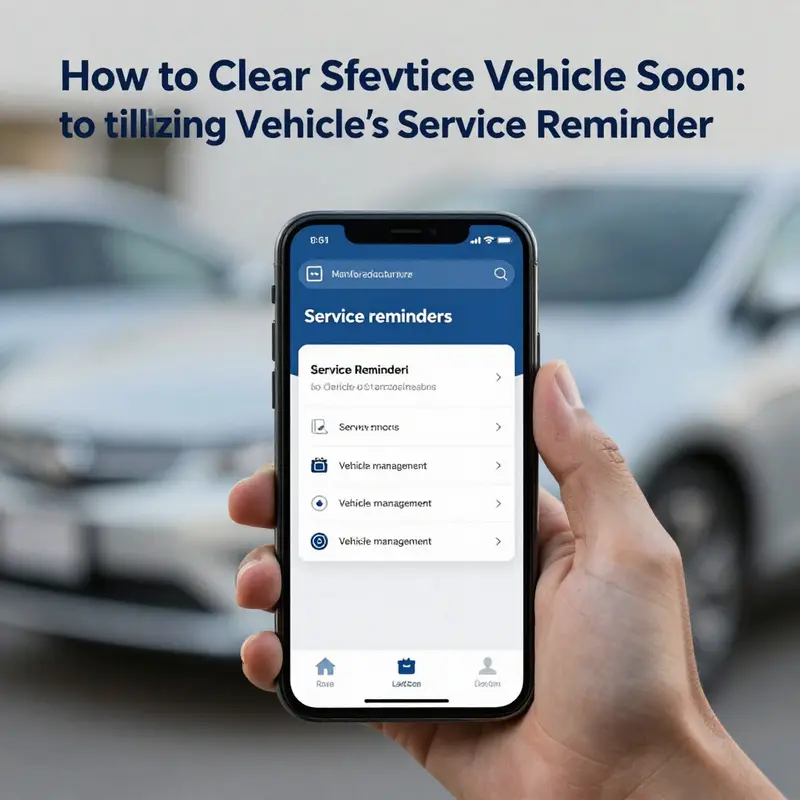
When a driver first sees the warning that the vehicle is due for service, the impulse can be to clear the message and press on. Yet the right approach is not merely to disappear the alert; it is to ensure the vehicle’s maintenance log stays accurate and that you aren’t masking a real need for service. This chapter takes you through a careful, manufacturer-informed path to clear the “Service Vehicle Soon” reminder in a way that respects the car’s built-in maintenance framework, avoids creating gaps in safety checks, and keeps you aligned with the vehicle’s intended operational life. The journey is not about a single universal button push but about understanding how different brands encode reminders, how their diagnostic pathways are designed to interact with service intervals, and what tools or portals a driver can legitimately rely on to reset those indicators when the vehicle is genuinely up to date on scheduled maintenance. Along the way, we’ll connect you with broader resources and practical cautions, so the chapter feels like a steady guide rather than a quick-fix cheat sheet. If you want to dive deeper into related maintenance practices as you read, you can follow a link to the wider knowledge base hosted on a trusted automotive information hub, which often aggregates model-specific insights and practical tips for owners. KMZVehicleCenter Blog also includes a range of articles about maintenance decisions, safety checks, and timing intervals that complement the material here.
The core premise is straightforward: the reminder exists to prompt actual maintenance, and resetting it without addressing the underlying maintenance can leave you unprotected against wear, fatigue, or failure. The reset process, when it exists, is tied to your vehicle’s diagnostic framework and is often accessible only through brand-supported procedures. That is not a barrier to getting the reminder to disappear; it is a safeguard to ensure that the reminder reflects a legitimate maintenance status rather than a cosmetic clearing. Different brands implement their reminders through different interfaces and with different prerequisites. The practical effect for the driver is that you should first confirm that service needs are truly up to date before attempting any reset. If the vehicle has signs of wear, unusual noises, warning messages, or failure of a subsystem, those should be diagnosed and addressed by qualified technicians before any attempt to reset the indicator. The reset, when performed, should be a final step that confirms the maintenance record and the counter that tracks service intervals are aligned with actual work completed.
In the broader landscape of modern vehicles, many reminders now tie into a centralized maintenance schedule that will illuminate depending on time, mileage, or a mix of both. This means a reset might be permissible only after certain steps—like ensuring fluids have been checked or that a tire inspection has occurred—are completed. For vehicles with advanced diagnostics, the reset procedure can involve a sequence of actions that engages the instrument cluster, the user interface, and sometimes the ignition cycle. The analysis below draws on a spectrum of brand-specific methods while emphasizing safety, accuracy, and the long-term health of the vehicle. It also recognizes that some drivers rely on official apps or portals to manage their fleet of vehicles, especially in cases where multiple cars share a single account. In those contexts, the ability to unbind or remove a vehicle from an account may be as important as clearing the service reminder on the car’s own display. The goal is to preserve the integrity of the maintenance log while giving the driver a clear, unobstructed gauge of when the next service is truly due.
Brand-specific pathways illustrate the range of possibilities. For some brands, the reset is a straightforward ritual that you can perform with the ignition on and a momentary held button press. For others, the process hinges on a diagnostic tool that talks the vehicle’s own language and executes a software-level counter adjustment after confirming that the vehicle’s service history reflects the latest work. Still others rely on a companion app that communicates with the car’s control modules to update the maintenance status from a remote location. The common thread across these pathways is the need for accuracy and the avoidance of masking a maintenance requirement. Resetting a reminder can be appropriate when service has truly been completed, a scheduled interval safely elapsed, or when maintenance is performed under warranty or service plan terms that reset the cycle. In all cases, an owner’s knowledge of their vehicle’s maintenance schedule and the correct procedure is the bedrock of a safe reset.
To ground the discussion, consider a few representative pathways that have appeared in recent user guidance. In one family of modern vehicles, a common reset is performed by ensuring the engine is off, then locating a reset control associated with the trip computer or odometer readout. With the ignition turned to the ON position but the engine not started, you press and hold the reset control until the service message disappears. This sequence is not universal, but it highlights the principle: the reset interacts with a counter that is tied to the car’s internal maintenance clock, and the activation sequence is designed to be deliberate, not accidental. In another family, a similar approach exists but requires a button sequence that may involve the odometer/TRIP button and the ignition cycle to trigger the counter reset. For many brands, the reset is a one-way action—the counter is updated or the alert is cleared only after a confirmed maintenance event has been recorded in the vehicle’s memory.
The world of modern cars also includes vehicles that rely on a cloud-based service ecosystem. In these cases, the service reminder might be reset in tandem with removing the vehicle from a cloud account or re-binding it to a new account after maintenance has been completed. This is not a cosmetic step. In some fleets or personal ownership configurations, removing a vehicle from the cloud service and re-binding it with the updated service history can ensure that the vehicle’s onboard indicators align with the owner’s records and the service center’s notes. For drivers who manage multiple vehicles, this adds a layer of reliability: the cloud account reflects what’s happening on the ground, and the car’s own display aligns with that picture. When such cloud-based workflows are relevant, the steps typically involve selecting the vehicle in the app, choosing an option to unbind or reset the vehicle’s service status, and confirming the action. The interplay between in-car actions and app-based controls is a reminder that today’s maintenance ecosystem is a hybrid of physical and digital interfaces, designed to reduce the chance of misalignment between the vehicle’s needs and the owner’s actions.
With these broad patterns in mind, the practical approach to clearing “Service Vehicle Soon” should always begin with a quick audit of recent service work. If you have recently changed oil, rotated tires, replaced a filter, or completed any maintenance item that would logically advance the service clock, gather receipts or notes from that work. If you cannot verify completion, do not attempt a reset; instead, schedule the service or bring the vehicle to a qualified technician who can verify and document the maintenance as completed. This protects not just the maintenance log but also the resale value and the vehicle’s long-term reliability. When you can confirm that maintenance has occurred or is genuinely due at the scheduled interval, you can move to the correct reset pathway for your vehicle’s brand.
A reasonable caution to keep in mind is the potential for the reset to be blocked or disabled on certain models. Some vehicles require that a maintenance item, such as an oil change, has been recorded as done in the vehicle’s memory before allowing the counter to reset. Others will prompt you with a message that a service item is overdue and will not permit a reset until the underlying issue is addressed or until a technician signs off on the service. In these scenarios, attempting to bypass the process not only risks failing to address the issue but can also violate maintenance terms or void certain warranties. The driver benefits from treating the reset as a formal step in the maintenance workflow, not a shortcut. The result is a cleaner brand-accurate maintenance history and a clearer view of when the next service is truly due.
To make this discussion concrete while staying focused on best practices, we can describe a representative, brand-spanning logic that tends to surface in many models. Begin by confirming the engine is off and all vehicle systems are at rest. Access the instrument cluster or the vehicle’s owner interface. If a reset control exists, press and hold it while turning the ignition to the ON position, being careful not to start the engine. Hold until the message indicating “Service Vehicle Soon” changes or disappears. In some models, you must maintain this hold for several seconds, then release and cycle the ignition off and back on to confirm the reset. If the sequence requires a dedicated button or a combination of button presses, follow the pattern exactly as outlined in the owner’s manual for that model. If your vehicle uses a diagnostic tool or a manufacturer portal, you will typically follow an in-car sequence to initialize the reset or you will complete the reset through the tool or portal and verify the status on the vehicle’s display. The essence is that the reset is an intentional, documented action, not a casual press.
For readers who value a broader, maintenance-first perspective, there is a natural temptation to rely on generic tools or third-party guidance. The caution here is clear: many generic tools or non-manufacturer procedures do not provide access to the full set of diagnostic functions needed to properly clear the service reminder on newer vehicles. In those cases, attempting a reset without the necessary access can leave the system in an inconsistent state or even trigger other warning messages. The best path, once again, is to rely on the documented manufacturer method, the official app or portal, or an authorized service provider. These options guarantee that the reset is aligned with the vehicle’s internal maintenance schedule and diagnostic logic.
The practical consequences of following or neglecting these guidelines extend beyond a single display. When maintenance is performed—oil changes, filter replacements, fluid checks, tire rotations, brake inspections—keeping accurate records helps ensure safety and performance. A correctly reset reminder confirms the maintenance history to future buyers and to service technicians who may work on the vehicle later. It also supports the vehicle’s composite diagnostics, which may rely on the cadence of scheduled service to calibrate sensors, update software, or refresh monitoring parameters. In short, a legitimate reset is an alignment mechanism between what the car actually needs and what the dashboard indicates. This is not about erasing a log; it is about ensuring the log reflects reality.
The landscape of resets also invites a practical note for owners of electric or hybrid vehicles. These platforms often incorporate more integrated maintenance ecosystems, with advanced diagnostics and updated service intervals. For electric vehicles, the emphasis may shift toward monitorable items like battery cooling, coolant levels, brake system wear, and software updates that influence performance and safety. In many cases, the reset process can involve the vehicle’s own service portal, or a connected app that communicates with the car to reflect that the scheduled checks have been completed or postponed by a service provider. While the specifics can vary, the guiding principle remains: the reset should mirror actual maintenance events and align with the vehicle’s ongoing health checks. If in doubt, a dealership or authorized service provider is the most reliable source of guidance for these more complex systems.
The scope of the topic reaches into practical, day-to-day decisions. If you are managing a fleet or multiple vehicles, you might encounter scenarios where one car has a reset pending while another does not. In such cases, it is particularly important to distinguish between vehicles that truly require service and those that are simply overdue in a way that the system recognizes. Using the manufacturer’s app or portal to verify the current maintenance status, and, when appropriate, unbinding or re-binding a vehicle within the account to reflect the latest work, can reduce confusion. The careful management of multiple vehicles often requires a disciplined approach to record-keeping, with receipts scanned or stored in a digital portfolio and linked to each car’s service history. This approach helps ensure that every vehicle’s maintenance schedule remains coherent, even when multiple cars share the same owner or service vendor.
In sum, clearing the Service Vehicle Soon reminder should be viewed through the lens of maintenance integrity. The reminder exists to provoke timely service, to preserve vehicle safety, and to maintain the accuracy of the maintenance log. Resetting the indicator is appropriate when the actual maintenance has been completed or the scheduled interval has elapsed, and it is achieved through brand-specific procedures that are designed to prevent accidental or inappropriate resets. The process can be as simple as a deliberate in-car button sequence or as robust as a cloud-based update to the vehicle’s service history, depending on the model and its digital architecture. Either path culminates in a clear display that the next service is due at the proper distance or time, enabling responsible planning for the next maintenance event. The key is to stay informed, follow the manufacturer’s guidance, and treat the reset as a formal step in the maintenance lifecycle rather than a momentary cosmetic action.
For ongoing reliability and informed decision-making, owners can turn to a broader source of guidance that curates model-specific instructions and maintenance tips. The official resources for your brand, the vehicle’s manual, and the manufacturer’s support portals are the most trustworthy touchpoints. They are designed to provide the exact steps and prerequisites for your particular model, ensuring that the process respects safety, warranty terms, and the integrity of the maintenance history. If you are seeking a more general overview or a cross-brand comparison, a trusted automotive information hub that aggregates user experiences and procedural notes can offer context, but it should never replace the model-specific instructions. In the end, clear communication with service professionals and careful adherence to the documented steps will yield the most reliable outcome: a clean maintenance slate and a service calendar that truly reflects the car’s needs.
External reference for broadening the procedural landscape is available through an industry-standard maintenance guide that discusses reset rules in the context of a popular, brand-agnostic approach. It is helpful to compare notes with this external resource to understand common limitations and to appreciate how different manufacturers balance user control with safety safeguards. As always, the emphasis remains on accuracy and safety: the goal is not just to clear a warning but to ensure the vehicle’s maintenance status is faithful to what has actually been done and what remains due. For those who want a concrete, model-focused example of how a typical reset can be performed, consult official owner manuals or dealer-guided tutorials, and when in doubt, seek in-person assistance to verify that the reset aligns with the car’s maintenance history and safety protocols.
To keep the discussion anchored in practical ownership, you can explore a broader set of maintenance insights in the KMZ Vehicle Center blog, which covers topics from lift pump maintenance in diesel engines to optimal oil-change intervals and other hands-on care. This repository of owner-focused guidance is designed to complement the chapter’s focus on resets by providing the daily maintenance decisions that keep your vehicle healthy between big services. For a direct route to foundational maintenance discussions, the following resource is a good starting point: KMZVehicleCenter Blog.
In closing, the journey through manufacturer-backed reset protocols reveals a fundamental truth: when it comes to service reminders, accuracy and transparency trump speed. A properly executed reset confirms that the vehicle’s maintenance history aligns with actual work, protects the integrity of the maintenance schedule, and reinforces the shared responsibility between the owner and the vehicle’s engineering. This approach honors the vehicle’s design and preserves its performance and safety for the miles ahead. If you are seeking more detailed, model-specific instructions, consult the official owner’s manual for your vehicle and reach out to the brand’s support channels or your trusted service professional. And when you want to expand your understanding of routine maintenance decisions, you can also reference the broader knowledge base linked above and the external guidance that helps illuminate the path to responsible vehicle care.
External resource reference:
- Toyota service reminder reset guidance and best practices (external): https://www.autozone.com/repair-tips/cars-and-trucks/toyota-service-reminder-reset
Decoding the Service Vehicle Soon Alert: A Maintenance-First Guide to Clearing, Understanding, and Acting
The Service Vehicle Soon warning that lights up on your dash is more than a calendar nudge. It signals that your vehicle expects attention, whether that means a scheduled maintenance item or a diagnostic check that has flagged a potential issue. In the modern fleet of automobiles, the reminder is tied to both routine service intervals and the car computer that monitors sensors and wear parts. Because the means of clearing the alert vary from one maker to another, many drivers treat it as a simple reset ritual and miss the deeper point. The truth is that clearing the warning should follow a responsible pattern: verify that service has been performed, understand what the warning was calling for, and ensure there is no outstanding fault that could compromise safety or efficiency. As we move through the practical steps, it becomes clear that this is less about tricking the system and more about aligning the dashboard signal with the actual care your vehicle needs. If you approach the process with a maintenance mindset, you protect your engine, brakes, tires, and driveline. You also avoid creating a pattern of ignoring a warning that could foretell a more serious problem down the road. The chapter that follows threads together the common procedures you are likely to encounter across brands, then ties those steps to the broader responsibility of maintaining a safe, reliable vehicle. First come the basics that apply in most situations: make sure the engine is off, disengage all accessories, and locate the reset controls that govern the service reminder. The exact button or sequence is often located near the instrument cluster under the speedometer or on a nearby stalk. A practical approach is to focus on a reset sequence that begins with turning the ignition to the ON position without starting the engine. From there, you hold the appropriate reset button until the display reveals the message that the service reminder has been cleared, or until the message disappears. The specifics differ by brand, but the underlying logic remains the same: you are signaling to the system that maintenance has been completed, or you are clearing a notification that was triggered by a diagnostic. The variability across brands is a natural reflection of how each manufacturer programs its maintenance schedule, the way the instrument cluster is wired, and the software in the car’s electronic control unit. If you own a popular compact or sedan from a mainstream maker, you may encounter a procedure that requires you to press and hold a trip or odometer reset button while turning the ignition to ON, then watching the dash for a service message to vanish. The sequence is typically simple and can be performed by a driver with basic mechanical comfort. Yet that simplicity rests on the assumption that the maintenance work behind the reminder has been performed, or at least scheduled and logged in the vehicle’s service history. In many cases, the reset is not a substitute for actual servicing; it is a signal that the system has recognized the service as completed and that the vehicle is ready for a new service interval. Because the reset does not touch the internal counters or the fault codes, a persistent reminder after a reset should prompt you to recheck the service items or to consult a professional. Across the automotive landscape, you may encounter three broad patterns. The first is a button driven reset that requires you to hold a dedicated button while turning the ignition to ON, followed by a release when the message appears. The second pattern uses a sportier approach, engaging the reset sequence through the odometer or trip meter, sometimes requiring a longer hold after the message first appears. The third pattern is more modern, relying on a smartphone app or a dealer portal to reset the reminder after a logged service is recorded. In this last case, the reprogramming of the reminder is often done remotely, or it may require the vehicle to be connected to a diagnostic tool to reconcile the service data with the internal maintenance schedule. If you own a newer electric vehicle or a model with advanced diagnostics, you may hear about using an OBD2 scanner or the manufacturer app to clear fault codes rather than simply resetting a service reminder. The level of complexity there highlights the difference between a simple service reminder and a real diagnostic that can illuminate an underlying fault. In practice, the crucial steps are not just about clearing a light but about confirming that the maintenance schedule is up to date and that any required services have been completed. The journey to clarity begins with the recognition that the message is a safeguard. If the message is tied to oil changes, brake inspections, tire rotations, or other routine checks, the reset should only occur after those tasks are completed or confirmed in the vehicle’s maintenance log. The moment you press a reset button or perform the app-based action, you are aligning the dashboard indicators with the vehicle’s actual state. You are not erasing history, you are acknowledging that the scheduled maintenance has moved from planned to completed. The recommended approach is to treat the reset as part of a broader maintenance workflow. Begin by consulting the owner manual for the exact steps that apply to your model year and trim. Not all vehicles follow the same pattern, and a misstep can leave you with a reminder that refuses to clear or, worse, a lingering fault message that reappears after a short drive. If you want a summarized pattern you can rely on across several brands, you will often find the following cadence. With the engine off, turn the ignition to ON without starting the engine. Locate the trip computer or odometer reset button. Press and hold that button, watching the display for the SERVICE message to disappear or for a prompt confirming the reset. Release the button as directed by the specific model’s sequence and then turn the ignition off and back on after a short wait to verify that the message has cleared. In some models, the reset may require you to continue holding the button for a few seconds after the message appears; in others, the moment the message is visible, you release and the system handles the final step automatically. If the reset fails or the message returns, the situation is a signal to pause and reassess. It could mean that the maintenance task has not been completed, or that there is a fault fault code that needs diagnostic attention. In such cases, consulting the owner manual or a dealership is a prudent next move. Returning to the practicalities for different makes, you may encounter variants that are worth noting. A well-known European brand often uses a trip computer control below the speedometer as the heart of the reset sequence. The action requires you to hold the reset while turning the ignition to ON, but not starting the engine, and to release the button when the SERVICE message appears on the dash. The same approach appears in another well-established family of vehicles where the odometer or TRIP button is used for the reset. The core logic—turn the ignition on, press and hold the reset control, wait for the service reminder to disappear, then power down and power up to confirm—remains a useful mental model. In practice, that model is enough to clear the alert in many cases, but it is not a universal solution. For modern hybrids or electric vehicles with more integrated diagnostic loops, the reset might be tied to a dedicated service menu in the infotainment system or to a cloud-based service log accessible via a manufacturer app. If you are working with a brand that supports app-based unbinding or vehicle removal from a cloud service, such as a widely used mobility platform, you may be required to unbind the vehicle from your account. This action does not necessarily clear service reminders in the sense of maintenance; it simply removes the association between the vehicle and your account and can clear certain alerts related to account-specific data. For BYD or other makers that connect vehicles to cloud services, following the official app flow to unbind or remove the vehicle is a practical step when the goal is to dissociate the car from your account rather than to address a maintenance item in the onboard system. The guidance emphasizes a central point: clearing the alert does not substitute for performing the actual maintenance. A service reminder is a cue to check the vehicle’s health. When a service has been completed or scheduled, the reset confirms to the vehicle that its maintenance schedule can roll forward toward the next interval. If the reminder persists after you have completed the service or the recommended maintenance, there is reason to suspect either that the maintenance was not recorded in the vehicle’s system or that a fault triggered the alert and needs professional attention. This is where the manual and the dealer become essential resources. The owner manual is the most authoritative source for precise steps for your exact model year and trim. Relying on generic guides can create errors if the sequence is subtly different in your car. If the warning persists, it is wise to request a diagnostic check, especially if you notice signs such as unusual sounds, changes in braking feel, unusual tire wear, or any dashboard messages about sensor or fault codes. In parallel with the mechanical reality, consider the information your vehicle presents about its maintenance schedule. Some reminders are calendar-based, but many are maintenance-based, meaning the system is counting down to due service. A reset that changes the displayed message without addressing the underlying maintenance is a temporary fix that can lead to bigger problems. To connect these ideas to everyday practice, think of the reset as part of a broader maintenance habit rather than a one-off act. You can anchor this habit by integrating a check of the service history with regular maintenance planning. A practical way to do this is to pair the reminder clearing with a quick audit of which maintenance tasks are due in the upcoming months. If you regularly review the recommended oil-change interval, tire rotation schedule, brake pad thickness, and battery health, you gain the confidence that your driving is supported by timely care. You can use a widely referenced guide on maintenance intervals to inform your decisions about when to schedule service and how to interpret the warning if it appears. For readers seeking a concise summary of maintenance timing that balances time and mileage, consider the longer-term picture described in the industry discussions and user guides. The balance between time and mileage is a recurring theme. Oil changes often depend on both time and miles, and the same logic applies to other essential services. The idea is to avoid overprescribing maintenance by treating every light as a strict calendar cue, yet avoid delaying service to the point of risk. A thoughtful reading of the maintenance needs invites you to view the service reminder as a helpful housekeeping signal, not as a punitive alert. The ultimate aim is a vehicle that runs smoothly and safely for as long as possible. When the reminder is cleared after a legitimate service, you have done more than quiet a dashboard— you have validated your commitment to the vehicle’s health and the safety of every trip you take in it. As you move forward, you may find it useful to bridge the practical steps with longer term knowledge about maintenance by exploring related topics on the broader maintenance landscape. For instance, a broader article on optimal maintenance intervals can provide a framework for understanding why certain items count down and how time and mileage influence their scheduling. This can help you plan ahead and avoid last-minute service bursts that strain budgets and schedules. To further support your understanding, you can read a related piece that dives into maintenance timing and how it interacts with the realities of driving patterns and vehicle wear, including a detailed discussion of oil-change intervals and time-marriage with mileage. This contextual perspective strengthens your ability to interpret the service reminder rather than simply clearing it. In addition, the guidance highlights the value of a careful, considered approach to maintenance that prioritizes safety and reliability. The heart of the process remains clear: do not ignore the warning, verify the service has occurred or is scheduled, understand the underlying cause, and use the appropriate reset method for your model. If the reset does not behave as expected, consult the owner’s manual or a dealer, and consider professional diagnostics, especially for newer vehicles with sophisticated diagnostics and cloud connectivity. For drivers who rely on apps for car care, the ecosystem offers nontraditional paths to clear the notice, including unbinding a vehicle from your account when the goal is to manage your vehicle list. However, you should remain mindful that unbinding is distinct from performing a maintenance task and should be treated as a separate administrative action. The overall message is straightforward: clearing a Service Vehicle Soon alert is not the same as finishing the service. It is a signal that the maintenance program is moving forward or that a fault has been resolved or identified and logged for attention. The right approach is to combine practical reset steps with a thorough check of the vehicle’s service history, a careful assessment of current condition, and a timely appointment with a qualified technician when necessary. To help tie these ideas to a broader knowledge base, readers may want to review related maintenance planning resources and explore how maintenance intervals interact with real-world driving conditions and vehicle usage. The goal is not simply to reset a light but to engage with the vehicle as a dynamic machine that benefits from proactive care. If you are looking for a broader perspective that situates service reminders within a longer maintenance lifecycle, a deeper dive into oil-change intervals and the balance between time and mileage can be a valuable companion read. This contextual exploration supports better decision making and safer driving, and it integrates with the maintenance planning mindset that governs modern vehicles. For readers who want to see a concrete cross-brand reference in one place, consider following a steady, manual-driven approach first while staying aware that some brands offer app-based or cloud-assisted resets. The underlying principle is consistent: respect the maintenance schedule, verify service completion, and use the reset only as a confirmation that the vehicle is now back in a standard service window, ready for its next checkup. If you ever encounter trouble with the reset process, or if a persistent reminder resurfaces after a legitimate service, do not hesitate to seek professional help. Your vehicle depends on accurate maintenance signals to function at peak efficiency and safety. In the end, the practice of clearing the Service Vehicle Soon alert is a small but meaningful component of responsible vehicle ownership. It is a signal that you are integrating the car into your routine and treating it as a durable asset that relies on timely care. The interplay between steps, from ignition sequence to the final confirmation, mirrors the broader discipline of maintenance that keeps vehicles running smoothly and safely. For an additional reference that sharpens the understanding of maintenance timing and its practical implications, you can explore related content on oil-change intervals and time vs mileage, which provides a more expansive framework for planning maintenance around actual use and engine wear. Internal link for deeper context: Optimal oil-change intervals: time versus mileage. https://kmzvehiclecenter.com/optimal-oil-change-intervals-time-vs-mileage/ During your maintenance planning, you may also want to keep in mind that a well-documented maintenance history often reduces the likelihood of unexpected reminders and supports smoother service visits. Finally, remember that the process of clearing a reminder is most effective when it is part of a deliberate maintenance routine rather than a reflexive action. Approach it with the mindset that you are aligning the vehicle’s status with its actual care needs, which ultimately supports safety, longevity, and reliable performance on the road. External resource for further reading on service indicator resets from a manufacturer standpoint is available here: Citroën official support on service indicator reset. https://www.citroen.com/support/vehicle-service-reset
Final thoughts
In conclusion, clearing your vehicle’s service reminder is more than just a simple reset; it signifies responsible ownership and timely maintenance. By familiarizing yourself with the specific procedures relevant to your vehicle brand, tapping into manufacturer resources, and adhering to best practices for vehicle upkeep, you can ensure your vehicle remains in peak condition. Regular maintenance not only prolongs the lifespan of your vehicle but also guarantees safety on the road. Take the steps necessary to empower yourself in vehicle management and uphold the integrity of your vehicle.