
Understanding your vehicle’s in-service date is vital for maintaining compliance with warranty requirements and scheduling inspections. This date, often identical to the registration date, can be identified through various methods, each relevant to different stakeholders—whether you’re a local car owner, a used car buyer, or a fleet operator. This guide outlines four practical approaches: checking your vehicle registration certificate, utilizing the Traffic Management 12123 app, visiting the DMV, and exploring details through the VIN and purchase invoice. Each chapter will help you pinpoint your vehicle’s important registration date, ensuring you’re always informed and prepared.
Tracing the First Registration: Reading Your Vehicle’s Service Date from the Registration Certificate
Understanding when a vehicle officially began its life on the road is more than a bureaucratic detail. The first registration date anchors the car’s age and informs warranty windows, inspection schedules, and eligibility for regional requirements. It is not the production date, but the date the vehicle was first registered to operate on public roads. For buyers and sellers, this date helps establish a reliable baseline for age, ownership history, and future maintenance planning.
To locate this date, start with the Vehicle Registration Certificate, often referred to as the Green Book in many regions. On the first page you will usually find a field labeled registration date, issue date, or date of issue. The exact wording may vary, but the meaning is the same: the day the vehicle was first registered with the authorities. The format can differ: it may be year-month-day, day-month-year, or month-day-year depending on local conventions. Always read the date exactly as written and confirm you are reading the primary registration entry, not a renewal.
If the certificate is missing or damaged, you can obtain the official date from the relevant motor vehicle authority, sometimes via an online portal after confirming your identity and ownership. You can also use VIN-based history services to corroborate the date, but remember that VIN histories support verification rather than replace the primary certificate.
The first registration date has practical implications. It informs depreciation estimates, maintenance planning, eligibility for recalls, and insurance timelines. When comparing vehicles, align the registration date with purchase receipts and service logs to form a consistent chronology of the vehicle’s early life.
In practice, make this the starting point of your vehicle checks. Locate the first registration entry on the certificate and copy the exact date. If you purchase the vehicle, discuss this date early in negotiations as part of the maintenance history and age assessment. If you need to sell, presenting a clear timeline anchored by the first registration date can reassure buyers about provenance and care. For a broader understanding of how registration rules work in your region, consult the official government portals or your local department of motor vehicles.
Find Your Vehicle’s Service (Inspection) Date with the Traffic Management 12123 App
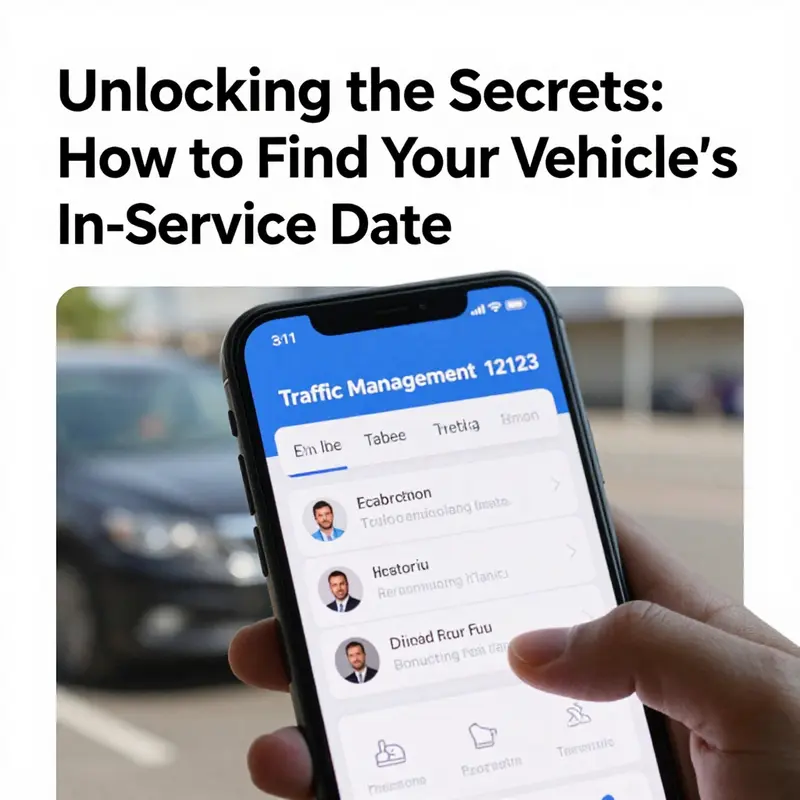
Finding the official inspection or service date for your vehicle is straightforward when you use the Traffic Management 12123 app correctly. This chapter walks through the entire process, from initial setup and vehicle binding to reading the inspection expiry field and interpreting what the app tells you about upcoming inspections. It also explains common issues that block access and how to resolve them, so you can trust the date shown and plan maintenance, inspections, or warranty checks around it.
Start by downloading and registering within the app. Obtain the official app from your phone’s app store and complete the account setup. Registration requires a real-name verification step; this typically includes entering personal identification details and completing facial recognition. The verification is mandatory because the app links sensitive vehicle records to a verified identity. Complete this step carefully, using the same ID information tied to your driver profile and vehicle documents to avoid mismatched records later.
Once registration and verification are complete, open the app and locate the section labeled “My Vehicle” or its equivalent on the main screen. This is where you bind vehicles to your account. Binding is necessary for the app to display the inspection date and other vehicle-specific details. Choose the option to add a vehicle—either “Register My Own Vehicle” for vehicles registered in your name or “Register Non-Owning Vehicle” when you need to monitor a vehicle not officially registered to you. The form asks for three key identifiers: the license plate number, the last six digits of the Vehicle Identification Number (VIN), and the last six digits of the engine number in some cases. Enter these details precisely; a single wrong digit will prevent the match and block access to the record.
After the vehicle is successfully bound, return to the “My Vehicle” list and select the vehicle you want to check. The app presents several fields about the vehicle. Look for the label that reads “Inspection Expiry Date” or “Inspection Valid Until.” This field contains the official inspection deadline. Dates may be displayed in a year-month format like “2026-03.” When shown this way, the inspection is valid through the last day of that month, so an entry of “2026-03” means the inspection must be completed by March 31, 2026. The app uses visual cues to indicate status: a green display signals the inspection is currently valid; a yellow or orange warning may show when the inspection window is approaching; and red highlights mean the inspection has expired or is due urgently.
A useful feature of the app is automatic reminders. The system typically sends notifications about 90 days before the inspection expiry. These reminders let you plan appointments with inspection centers or book service to prepare the vehicle for testing. Rely on these alerts, but always verify the expiry date shown in the app against the vehicle registration certificate if you need an official record for legal or warranty reasons.
Interpreting the inspection date in practical terms matters. The app’s inspection expiry is the legal deadline for the mandatory vehicle inspection. If you plan maintenance, schedule it to allow time for repairs before the inspection deadline. For example, book service at least two to three weeks before the expiry to address any issues discovered during pre-inspection checks. If the app shows an upcoming expiry, prioritize items that typically cause failures: lights, brakes, emissions, tires, and suspension components. Addressing these items early reduces the risk of failing the official inspection and facing penalties.
Occasionally, the date you see in the app may not match your expectations. If you recently purchased the vehicle, the purchase invoice date can be a helpful reference, but it is not the official registration date. Instead, rely on the registration certificate or the inspection expiry field in the app for compliance and warranty matters. When discrepancies appear, confirm details by visiting your local vehicle administration office with your ID and vehicle documents. The staff can access the official records and correct any errors, especially if the mismatch stems from an administrative oversight during transfer of ownership.
Troubleshooting access problems is straightforward. If a vehicle fails to bind, first re-check the entered license plate, VIN digits, and engine number. Many binding failures are caused by simple typographical errors or by entering data that doesn’t match the registration records exactly. If data entry is correct and binding still fails, wait a short time and try again; some delays occur as databases synchronize. If the problem persists, contact the app’s support or visit the local vehicle administration office for assistance. Bring all original documents—the registration certificate, purchase invoice, and your identification—so staff can verify ownership and correct the record.
Privacy and security are built into the app’s design. Because the app links official vehicle records to a verified identity, the real-name verification step and facial recognition reduce the risk of unauthorized access. If you ever lose access to your account, follow the app’s account recovery procedures. For theft or unauthorized binding concerns, notify the local administration office immediately. They can freeze records or provide steps to secure your vehicle’s digital profile until the issue is resolved.
Beyond the inspection expiry field, the app also displays other useful vehicle details. You can check registration status, penalty points, and sometimes insurance reminders. Use these additional features to maintain compliance and keep a single source of truth for your vehicle’s administrative timeline. However, for legal proof of registration or initial registration date, the printed or digital registration certificate remains the authoritative record. Use the app for convenient, real-time checks and the registration certificate when you need certified evidence.
For owners of vehicles not registered in their name, such as company cars or family-owned vehicles, the app still allows binding through the “Register Non-Owning Vehicle” option. This feature is especially convenient for fleet managers or family members who must track inspection schedules but do not hold primary registration. When binding a non-owning vehicle, have the cooperation of the registered owner to ensure the details match and to avoid privacy conflicts.
Preparing for inspection also benefits from proactive checks. Use the app’s reminder as a starting point, then run a basic pre-inspection checklist two to four weeks before the expiry. Inspect lights, tire tread and pressure, oil and fluid levels, brake pad thickness, and the exhaust system for leaks or excessive smoke. If the vehicle is diesel, check fuel system components and the particulate filter; if gasoline, focus on emission controls and ignition system health. Small fixes now often prevent a failed inspection and reduce downtime.
Finally, keep the app and your personal documents up to date. Update the app whenever a new version is available, and renew your account verification if prompted. If you sell or transfer the vehicle, unbind it from your account and notify the new owner to bind it under their profile. This practice protects your records and ensures the inspection reminders reach the correct party.
If you want more general vehicle upkeep guidance tied to inspection readiness, consider consulting maintenance resources. The KMZ Vehicle Center blog provides practical maintenance tips that align with inspection priorities and long-term vehicle care. You can visit the KMZ Vehicle Center blog for broader advice on keeping your vehicle inspection-ready.
For official details and further assistance from the same authority that supports the app, consult the official Traffic Management service website: https://gd.122.gov.cn
Using the Traffic Management 12123 app correctly gives you a reliable, real-time way to find your vehicle’s inspection or service date. Bind the vehicle precisely, monitor the inspection expiry field, respond to the app’s visual cues and reminders, and verify with official documents when necessary. This approach keeps you on schedule, helps avoid compliance issues, and makes planning maintenance straightforward.
null
null
Tracing the Vehicle’s In-Service Timeline: Decoding VINs and Purchase Invoices to Pin Down When a Car Really Became Active
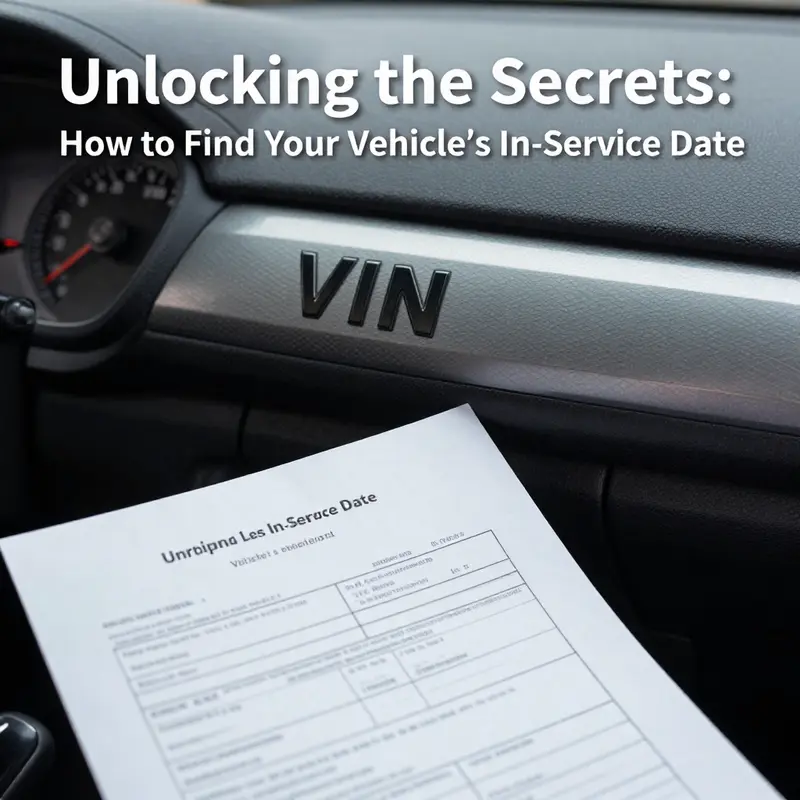
Every car carries a timeline inside its numbers. The quest to determine when a vehicle entered service often starts with one sturdy key: the VIN. But the VIN encodes manufacturing rhythms rather than purchase receipts, and service status can hinge on registration, delivery, or showroom milestones. In this chapter we weave together three threads—the VIN, the purchase invoice, and the official registration record—to map a reliable in-service date. This timeline matters beyond curiosity. It informs warranty windows, required inspections, and a vehicle’s true age when you compare it against maintenance intervals and life-cycle planning. To keep the narrative grounded, we tie these threads to practical checks you can perform today, using the VIN as your compass and the invoice as your anchor. For broader context on how history checks fit into practical upkeep, you can explore the KMZ Vehicle Center blog.
The journey begins with the VIN, a structured code that serves as the vehicle’s global passport. The VIN, a 17-character identifier, is stitched across several fixed locations on most cars: the lower left corner of the windshield on the driver’s side, the driver’s door jamb, and sometimes within the engine bay or on the vehicle’s registration documents. The digits and letters that compose the VIN are not random; each segment carries a clue about the vehicle’s origin, model, and importantly for our purpose, its production year. The model year is encoded by the tenth character. In the period from 2001 to 2009, the tenth character is a numeral, so digits 1 through 9 map to 2001 through 2009. From 2010 onward, the tenth character shifts to letters, A through Y, with specific exclusions to avoid confusion with the numbers I, O, and Q. A practical takeaway is straightforward: if you see a tenth character of G, the car rolled off the line in 2016. If you see L, you’re looking at 2020. The relationship between VIN and year is precise, but it is still a year, not a date. It pinpoints the production year, not the exact month and day of manufacture, nor the date the car first went on the road.
To narrow the window further, you should look beyond the VIN alone. The exact month and day of production typically lives on additional documentation. A vehicle’s compliance label or the original Vehicle Certificate of Conformity often contains a more granular production date. If you have access to third-party VIN decoding services, you can obtain a more specific production window, though it’s important to recognize that these sources vary in depth and reliability. The production date is a crucial piece for understanding the car’s age and the starting point of its warranty clock, but it is not necessarily the same as the date the vehicle entered service in daily use.
The practical method is to locate the VIN and verify the year from the tenth character, then seek the exact production date from the compliance label or the COF. If your goal is a comprehensive production-to-sale timeline, a reputable VIN decoder can help supplement the official documents, but you should treat the outputs as supporting data rather than final authority. In any case, the production date sets the starting point for the vehicle’s lifecycle and is the anchor from which any service-date calculations should proceed.
With production in view, the next facet of the timeline concerns the purchase date. If you possess the original purchase invoice from a dealership or the seller, that document will typically reveal the actual date the vehicle was sold or delivered. Look for sections labeled with phrases such as “Date of Sale,” “Purchase Date,” or “Invoice Date.” The purchase date marks when the vehicle officially changed hands and, for many owners, when it began its active life in regular service. It is not unusual for there to be a gap between production and purchase. A car can roll off the assembly line months before it is sold, particularly if it sits in inventory or undergoes final inspections and regulatory steps before delivery. The invoice date provides a concrete reference point for when the vehicle entered the owner’s possession and, crucially, for calculating first occupancy, initial warranty eligibility, and the timing of early maintenance needs.
If the original invoice is not at hand, you still have paths to reconstruct the timeline. Your bank statements, credit card records, or digital receipts from online dealerships can help corroborate purchase timing. In the modern marketplace, many buyers receive digital copies of invoices or delivery confirmations through the dealer portal, email, or the financing platform used to complete the sale. When you pull these records, pay attention to the alignment of the VIN on the invoice with the VIN on the car itself, to avoid misattributions in the event of a close purchase window among similar models. In some regions, the official registration document or the vehicle title will reinforce the purchase date by recording the date the vehicle was registered under the new owner, but be mindful that registration can occur after delivery, sometimes by weeks or even months, depending on processing times and regulatory steps.
The beauty of combining VIN-derived production data with the purchase date is in the clarity it provides about the vehicle’s early lifecycle. The production year tells you when the car came off the line, while the invoice date tells you when it began its life with a customer. Yet another layer of truth emerges when you consider the registration record. In many jurisdictions, the registration date—the date the vehicle is first registered for road use—establishes a legal in-service threshold. If you encounter a large gap between production, purchase, and registration, you gain a practical signal: the vehicle may have sat in inventory, undergone transport, or waited through a regulatory or inspection queue before it officially entered service. This is where alignment among documents becomes essential. When the registration date is readily available on the official certificate or in the government app, you have a direct basis for determining the moment the vehicle began its formal service life. In some systems, you can verify this date with a government app that provides real-time vehicle details tied to the VIN. In others, a visit to the local vehicle administration office can confirm the record when you require official confirmation or if documents are incomplete.
The synthesis of these data points becomes especially powerful when you consider service history and maintenance planning. A complete picture starts with the production year from the VIN, then anchors it with the purchase date, and finally anchors it with the registration date. This trio allows you to compute the actual service window, to map recommended maintenance milestones to the vehicle’s age, and to understand when warranty protections were triggered or exhausted. When you pull the vehicle’s history, the VIN serves as a unifying key. Insurance records, recall histories, and maintenance logs can often be linked to the VIN, offering a longitudinal view of how the car transitioned from factory to road-worthy asset. If you wish to verify a vehicle’s history more thoroughly, you can consult third-party history reports that compile ownership changes, reported incidents, and service events. These tools pull from several databases and cross-reference the VIN to produce a cohesive narrative of the vehicle’s life. The goal, again, is clarity: to know not just when the car was built or sold, but when it truly became part of daily use in a well-documented, auditable way.
Within this framework, the concept of an in-service date becomes more nuanced. Some readers will equate in-service with the first registration date, others with the date the vehicle first entered into service with its original owner, and still others with the date the vehicle first entered a showroom or was first used for private transport. The key is to identify which date your context requires and to corroborate that date across the VIN-derived production data, the purchase invoice, and the registration record. If you need official confirmation, the government app or the vehicle administration office will provide the most authoritative line, while the VIN and invoice serve as the best supplementary sources you can consult independently.
A practical example helps illustrate the process. Suppose the tenth VIN character indicates a model year of 2018, and the COF or compliance label confirms a production date in early 2018. The purchase invoice may reveal a sale date of March 15, 2018, while the registration record could show the official first registration date as March 20, 2018. Taken together, these data points tell you that production occurred in early 2018, the car was sold in mid-March, and the vehicle began legal service around the end of the month. If a discrepancy arises—say the registration date is several months later—the difference often reflects the administrative path from delivery to registration. Understanding this distinction is essential for accurate warranty timing, service intervals, and even resale valuation.
The narrative is not complete without acknowledging the role of independent history checks. While a VIN can reveal production and ownership milestones, it may not capture every incident or service event. For a fuller history, many turn to trusted VIN-based history reports, which aggregate data from multiple sources. These reports can flag accidents, title issues, or gaps in maintenance that might influence your interpretation of the in-service timeline. When you use these tools, keep in mind that they depend on the quality and scope of data available in the databases they query. They are invaluable for cross-referencing, but you should always weigh their findings against the primary documents—the VIN-derived production data, the purchase invoice, and the official registration record.
To close the loop, remember that the method described here is a practical workflow rather than a single, definitive answer. The exact in-service date you settle on should reflect the specific purpose you have in mind. If your goal is warranty planning, anchor the timeline to the first registration date and the purchase date, then use production data to understand the vehicle’s age. If your aim is maintenance scheduling, the age derived from the production year can inform recommended service intervals, while the registration date helps you determine the start of ownership-related service windows. The combination of VIN, invoice, and registration yields a robust and auditable picture, one that you can defend with official documents and corroborating records.
For readers seeking a focused synthesis, consider how these pieces fit into your broader maintenance plan. The VIN acts as a consistent identifier across records, the invoice anchors ownership timing, and the registration confirms the formal entry into service. When you align them, you gain a dependable map of the vehicle’s in-service timeline, a map that supports warranty decisions, inspection schedules, and strategic maintenance planning. If you want to explore more about how to navigate vehicle history and maintenance resources, you can visit the KMZ Vehicle Center blog for further insights and practical tips.
External resource: https://www.carfax.com/
Final thoughts
Locating your vehicle’s in-service date is not just an administrative task; it’s a fundamental aspect of vehicle ownership that impacts maintenance schedules and compliance with regulations. By harnessing tools such as your registration certificate, the Traffic Management 12123 app, the DMV services, and understanding your VIN alongside your purchase invoice, you can easily access this crucial information. Knowing your vehicle’s history and registration date leads to better care and ensures you stay ahead in managing your vehicle’s needs.